Posts

How to display a div on another div hover event?
Image
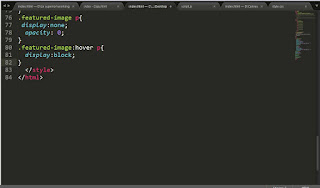
How to display a div on another div hover event? On a CSS hover event, we can change another div's styles. The another div can be either child or siblings. If a div has to be displayed only upon hover, 1) When the child div is inside parent div 2) When both the divs are siblings Read CSS Selectors For displaying div in hover, use :hover selectors. Following link demonstrates the displaying child when parent is hovered. https://jsfiddle.net/CreativeTechnocrayts/grtw44wd/9/ When displaying sibling div, ~ selector is used. (General sibling selector) When displaying an adjacent sibling , + selector is used (Adjacent sibling selector) We can directly select the element by using class or id names. Follow our FB page @CreativeTechnocrayts Subscribe to Creative Technocrayts and be a part of growing community.

Why the container element is not taking the actual height when having floated children?

Image
In frequent case, we may notice that the container element will not grow as per the height of the children. This article deals with the fixes for the solution. The  sample issue is reproduced here for demonstration. https://jsfiddle.net/CreativeTechnocrayts/b1qfp9rz/2/

Points to check before launching website

For anyone who is delivering websites with deadly deadline; there are many chances to miss a few points. To overcome the lag it is better to have a checklist to go through before the launch. When many developers are contributing to the project, it is better to brainstorm and prepare a list to go through at the end. The list may be drawn based on the scope of the project whether the site / application is repsonsive, accessible or print support. File Structuring 1. Supporting files in proper folders (img, css, js, downloads) Maintaining proper project folder structure helps to organize easily and stick to a proper workflow which will avoid conflicts in a team. Header 2. Use a correct Doctype preferably latest version. ( !DOCTYPE html ) You can read here for more information 3. Include Favicons Favicons is a quick identity to our websites. Read on how to implement favicons to our websites. 4. Viewport tag with user-scalable attribute for responsive websites. Viewpo...

The Essential Roadmap for Aspiring Web Developers

A Curated Learning Path for Aspiring Web Developers: HTML, CSS & Design Fundamentals This article has curated essential articles for any aspiring web developer. These articles cover the basics of Web design, HTML, and CSS—the foundational pillars of front-end development. 📚 HTML Fundamentals HTML5 Markup Language HTML5 is the markup language used for creating web pages. This article was written keeping in mind **beginners to web development**. It gives the basic layout of an HTML5 web page followed by a brief explanation of each part. Read more… 📱 Responsive Web Design (RWD) As there are more mobile platforms and devices emerging in the market, making your websites accessible to all clients is very important. Sustaining business through all means is inevitable in this competitive market. An approach of making your websites cust...

Why do we need CSS preprocessor?

Image
CSS Preprocessor CSS Prprocessing by Definition: 1. Preprocessor is any program that process the input data to produce output that can be used as an input for another program. 2. CSS Preprocessor is a processor which gets some instructions or raw code and compiles it into a .css file. When we first step into web development and design, we work with CSS and develop smaller sites and micro sites. As we gain experience and start working in larger application and work in a team, we may come across the word ‘CSS Preprocessing’. When we build bigger application, it is always important to follow ‘Do Not Repeat Yourself’ (DRY) principle and keep our code maintainable and organized . When we hand code CSS, we may have to put in lot of effort and time to achieve the quality results whereas using a preprocessor will automate the processes and scripting tasks. Reasons for using CSS Preprocessor Scalability and architecture When we work in large application we can separate the c...

How to write better maintainable CSS?

When we write CSS especially for a large scale application, we should always keep in mind about maintainability in long run. Every application is subjected to modification and up gradation, so there is no point of starting over from scratch every single time. When we go back to our code base after a long time or adding new members contributing to code base should be able to identify things is in the right place. If we have written a maintainable CSS, updating some minor changes to our repository will not be a daunting one like 1) changing the value for a variable, 2) changing a class name, 3) identifying which modules are written in which section of the code and locate where is the specific line comes from. Only if we incorporate few style guidelines we can easily achieve that. Commenting: As a beginner we should start practicing this point.Commenting the code with proper description is always handy. /*Home page styles*/ /*Home page ends*/ Structuring your CSS file Yo...

How to install custom fonts in CSS? An Overview on Google Web fonts

Image
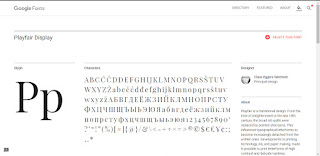
Fonts are a part of website development which emphasizes our brand strategy. We should get better understanding of CSS font family . We are discussing here on how to use custom fonts in our sites and make it browser compatible and across devices. Apart from generic fonts there is lot of custom fonts available which suits our needs. When we go for personal or entertainment websites we may choose artistic fonts and when are working on a company website we may prefer corporate fonts. There are lots of free fonts available either in a .ttf format or .otf format. Font formats .ttf format file stands for True type font and .otf file stands for Open type font. You can install it in your computer. For adding a custom font to our website, we can convert them online using font converter like Font squirrel . It will output the web fonts in different formats like otf, woff,woff2 and svg in order to make the fonts work in different browsers thereby making them compatible and give consiste...